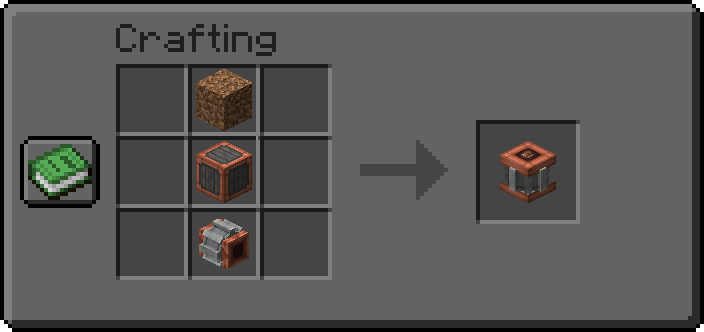
The Mechanical Insolator allows the automation of various crops, plants, and vegetation within a semi-singular block space, with the addition of other necessary blocks for the machine to run.
First, you need to power it through a cog or cog-adjacent source on one of the cardinal directions. Well, that, or use a large cogwheel and power it from a diagonal. The next step is to provide it with, most of the time, copious amounts of certain liquids. You can only input this fluid through the bottom of the block, so ensure that you take that into account in any automatory designs. This liquid varies depending on the plant being automated through the block, but most crops, flowers, etc. will require Water.Figure III
The final step to actually reproduce the plant is by placing it into the block either by dropping it onto the top of the block or inserting the item through a funnel on any side, the top, or the bottom. Though, strictly speaking, the bottom will be taken up by a pipe network in order to get the fluid into the Mechanical Insolator.
Configuration
Server
Kinetic Stress Impact | Default: 64 | Range: > 2
Determines the kinetic stress impact value of the machine. What this value means is that if you are running your machines at 256 RPM and this value is equal to 2, then it will consume 512 stress units.
Processing Time Multiplier | Default: 1 | Range: > 1
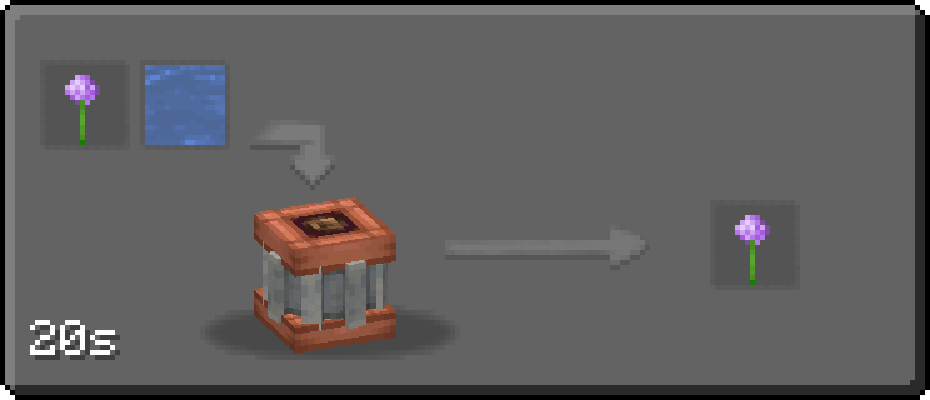
Determines the multiplier applied to the duration of processing recipes within the Mechanical Insolator. If this value is kept at 1, all processing times will be their default values. However, if increased to, for example, a value of 4, then all processing times will be multiplied by 4. (The Allium processing recipe is 20 seconds by default, so in this example it'd now become 80 seconds instead)
Tank Size | Default: 1000(mb) | Range: 1000(mb) - 16000(mb)
Determines the maximum capacity of the fluid container. If this configuration value is changed on a pre-existing world, then any Mechanical Insolators placed down will need to be broken and put back down in order to update the fluid tank capacity value.
Can Process Saplings | Default: true
Determines whether or not saplings (items tagged as #minecraft:saplings) can be put through processing of the Mechanical Insolator. If enabled, saplings can be inserted and create easy tree automation. If disabled, saplings cannot be input to the machine.
If this option is disabled and the player has their goggles equipped, a red text display will pop up letting the player know that they will be unable to process their saplings within this container.
Read "Consume Input" Flag | Default: true
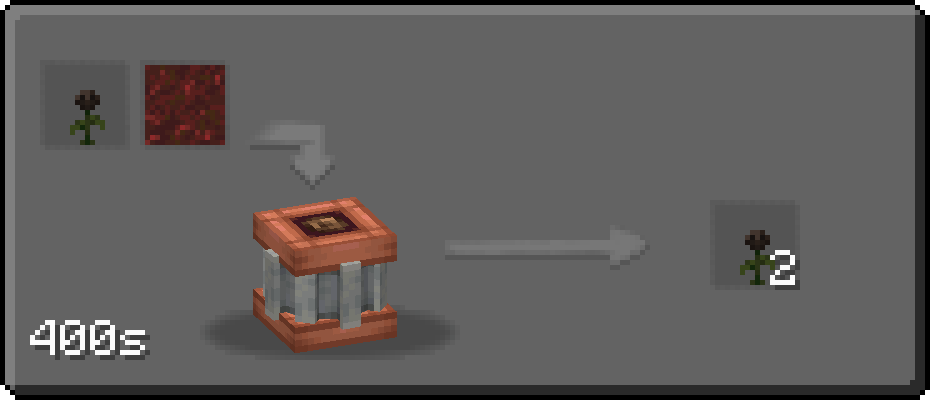
Within each processing recipe json file for the Mechanical Insolator - or, more specifically, with the 'mechanical_botany:insolating' recipe type - is a flag called "consume_input", which determines whether or not the input slot of the Mechanical Insolator decrements from the itemstack or remains as is. Most recipes have this set to 'false', but some, more late-game or important recipes have this set to true, such as Wither Roses.
If you're familiar with the Thermal Series' Cyclical Processing Upgrade for the Phytogenic Insolator, they may seem pretty similar. This config option, however, only impacts certain plants' processing recipes - such as Wither Roses, for example.I
It's important to note that the recipes, if viewed through JEI or EMI, may be inaccurate depending on what this configuration value is set to when it comes to the output count of certain items.
Client
Slot Recognition | Default: true
Acts as an accessibility option for players wanting to more easily distinguish between the input item slots and output item slots when looking at a Mechanical Insolator with contents inside. This shows up within the goggle hover text next to the item stack name and count.